Launching a UK service business website: speed, accessibility and UK GDPR basics
The short answer
A UK service business website should launch fast on mobile, accessible to the WCAG 2.2 AA standard, honest about cookies and personal data under UK GDPR and the Data Protection Act 2018, and clear about who the business is, what it costs and how to get in touch. These are not extras for later: each one is cheaper to build in from the start than to retrofit.
On this page
- The short answer
- What does a UK service business website need at launch?
- How fast does the site need to be?
- What does accessibility mean for a UK business website?
- What do UK GDPR and cookie rules mean for the website?
- What details do UK buyers expect to see?
- Should a UK site add live chat or an AI assistant at launch?
- Which platform should a UK service business choose?
- What to do next
- What to take away
- Questions, answered
UK buyers of professional services are practised at judging a business by its website. They notice slow pages, they notice a cookie banner that will not take no for an answer, and they notice when a site gives a mobile number and no company details. None of those things is dramatic. Each one adds a little doubt.
This guide covers what a UK service business website should get right at launch, written for founders rather than developers.
What does a UK service business website need at launch?
At launch, a UK service business website needs fast pages on mobile, accessibility to a recognised standard, honest handling of cookies and personal data, clear company and contact details, and pages that explain services and prices plainly. Each is far cheaper to build in from the start than to fix after launch.
That list sounds like compliance. It is better thought of as trust. A UK buyer comparing three accountants, architects or consultants will usually shortlist the ones whose sites answer questions clearly and behave well. The legal basics simply set the floor.
What a UK launch is built on
From the bottom layer up:
- Company details and contact: Registered name, number, office, a UK contact route
- Privacy and cookies: UK GDPR, Data Protection Act 2018, consent before non-essential cookies
- Accessibility: WCAG 2.2 AA, keyboard and screen reader tested
- Speed: Core Web Vitals checked on real mobile visits
- Clear service pages: What you do, for whom, at what price or price basis
How fast does the site need to be?
Fast enough that the main content appears quickly and the page responds immediately on a mid-range phone over a mobile connection. Google's Core Web Vitals give useful targets: Largest Contentful Paint within 2.5 seconds, Interaction to Next Paint within 200 milliseconds and Cumulative Layout Shift below 0.1.
The usual causes of a slow service-business site are predictable: oversized images, too many third-party scripts (chat widgets, trackers, embedded social feeds), heavy page builders and cheap hosting far from the audience. Fixing them is mostly a matter of deciding what the site really needs. Every script should earn its place. Our plain-English guide to Core Web Vitals explains each measure and what affects it.
Check speed before launch on a real phone, not only on the developer's laptop. After launch, Search Console's Core Web Vitals report shows how real visitors experience the site.
What does accessibility mean for a UK business website?
Accessibility means disabled people can use the site: reading it with a screen reader, moving through it with a keyboard, zooming text, understanding forms and seeing enough contrast. WCAG 2.2 at level AA is the standard most UK organisations work to, and the Equality Act 2010 sets duties for businesses serving the public.
Here is a self-contained summary of what that means in practice for a small service business. Every image that carries meaning needs a text alternative, and decorative images should be hidden from screen readers. Headings should follow a logical order so a screen-reader user can jump through the page. Every interactive element, from the menu to a project filter, must work with a keyboard alone, with a visible focus outline. Text needs enough contrast against its background, and the layout must survive zoom without content being cut off. Forms need visible labels, clear error messages and no reliance on colour alone. Video needs captions. Motion should respect the visitor's reduced-motion setting. None of this needs a special version of the site; it is how the main site should be built. Test with a keyboard, a screen reader such as VoiceOver or NVDA, and an automated checker, knowing automated tools catch only part of the problem.
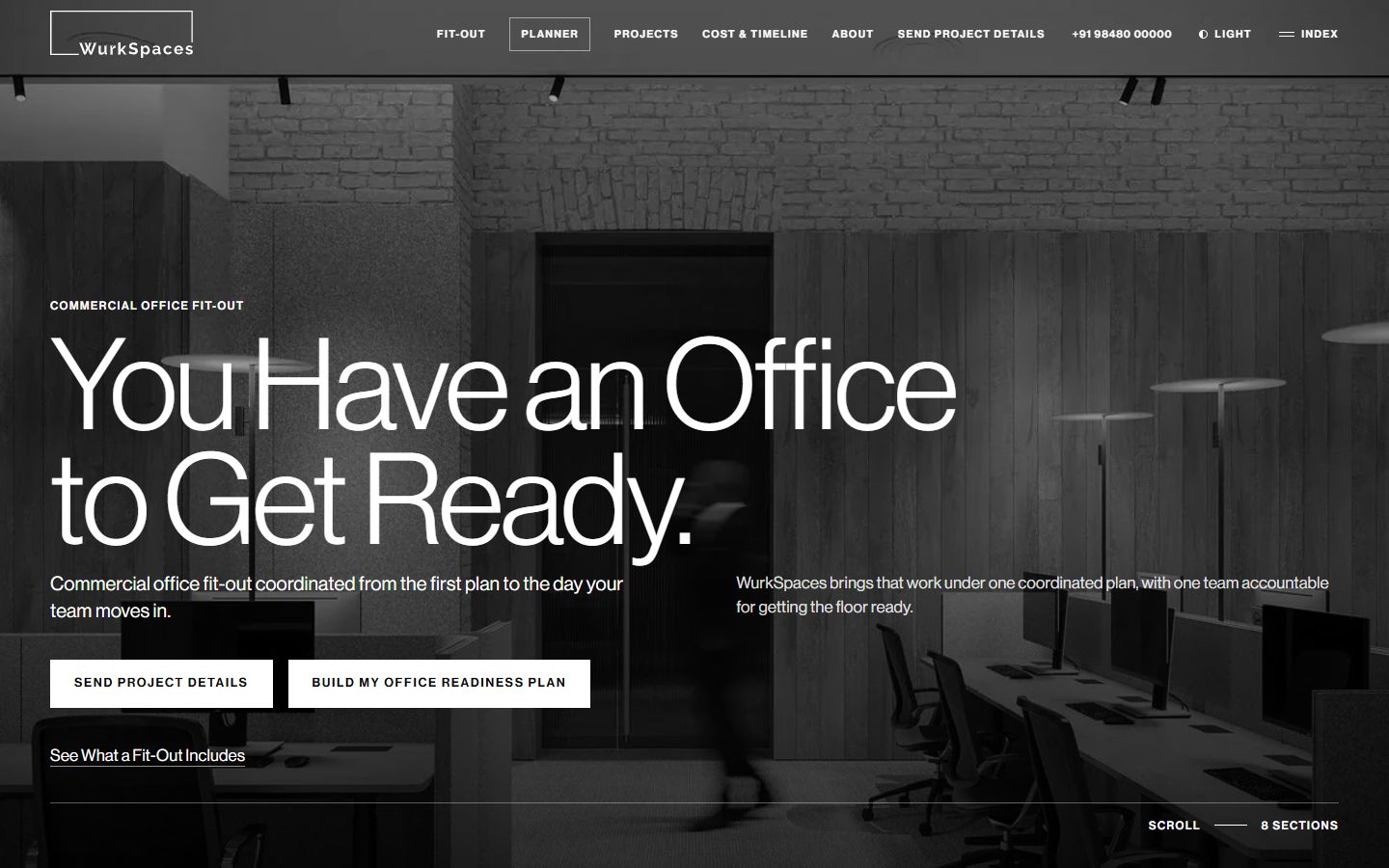
Accessibility and a strong visual idea are compatible. The WurkSpaces site our studio built has an interactive floor model of eight building systems, and its interactions are keyboard-operable, with light and dark modes and a skip link.
What do UK GDPR and cookie rules mean for the website?
Collect only the personal data you need, explain what you collect and why in a clear privacy notice, keep it secure, and set non-essential cookies only after the visitor agrees. UK GDPR and the Data Protection Act 2018 cover personal data; the Privacy and Electronic Communications Regulations cover cookies and electronic marketing.
UK privacy basics for a service business site
- List every tool that sets cookies or collects data
- Load only strictly necessary cookies before consent
- Offer Accept and Reject with equal prominence
- Write a privacy notice that matches the real data flows
- Ask for only the fields a first enquiry needs
- Secure forms with HTTPS and protect the inbox they feed
- Get consent before adding anyone to marketing emails
- Check whether you need to pay the ICO data protection fee
The most common gap is a mismatch between the privacy notice and the site. A template notice mentions tools the site does not use, while the analytics, chat widget and embedded map the site does use are never mentioned. Start from the actual list of tools. The Information Commissioner's Office publishes guidance for small businesses, and you should take legal advice on anything beyond the basics.
What details do UK buyers expect to see?
UK buyers expect to see who you are, how to reach you and roughly what things cost. That means your registered company details, a UK contact route, named people, real work, and prices or a clear explanation of how pricing works, with VAT stated where it applies.
- Company details. Limited companies must show their registered name, number and registered office on the site. Putting them in the footer also reassures buyers.
- Contact. A UK phone number or a clear statement of how and when you respond. If your team is in another country, say so plainly; buyers mind surprises more than distance.
- Prices. Ranges, starting points or a published basis. Say whether figures include VAT.
- Language. UK spelling and UK terms. "Enquiry", not "inquiry"; "organisation"; dates written day first.
- Proof. Named projects, named people, process. Our work shows how we present projects as what was built, not as claims.
Should a UK site add live chat or an AI assistant at launch?
Only if someone will answer it well and it does not slow the site or break your privacy notice. A chat widget is another third-party script, another place personal data is collected, and another promise of a quick reply. If you add one, decide who answers, when, and what happens to the conversation data.
AI assistants on websites raise two further questions for UK businesses. The first is accuracy: an assistant that answers from general knowledge can state things about your prices or services that are simply wrong, and buyers will hold you to them. An assistant that answers only from your own published pages, and links to them, is far safer; our guide to citation-grounded website chatbots explains the difference. The second is transparency: tell visitors they are talking to an automated assistant, explain in the privacy notice what is stored and for how long, and offer a clear route to a person. For many small service firms, a well-written contact page and a fast human reply are still the better launch choice.
Which platform should a UK service business choose?
Choose the platform your team can keep accurate after launch, that loads fast and that lets you meet accessibility and privacy requirements without fighting it. For most service businesses that is a well-built WordPress or Webflow site, or a Next.js site with a headless CMS where custom features justify it.
Our guide to choosing a tech stack covers the trade-offs. Whatever you choose, plan who will update the site and how changes are reviewed. Our website builds include a site you can edit, one review link per draft and a launch checklist.
What to do next
Before launch, run four checks yourself. Load the site on your own phone on mobile data and time how long the main content takes to appear. Put the mouse away and use the Tab key to reach every link and button. Open the cookie banner and press Reject, then see whether analytics still loads. Read the privacy notice and tick off each tool it mentions. Anything that fails is your launch list. For a full pre-launch review, see our UK page or book a call.
What to take away
- Treat speed as a launch requirement. Check Core Web Vitals on real mobile devices before go-live.
- Use WCAG 2.2 AA as the accessibility target and test with a keyboard and a screen reader.
- Only set non-essential cookies after consent, and write a privacy notice that matches what the site does.
- Show your company details, a UK contact route and clear prices or price bases.
Built on Intent studio. A founder-led studio in India that plans and builds websites, search and AI visibility, and AI systems for businesses in India, the UAE and the UK. Reviewed by [Founder name], founder. We do not publish invented numbers; where a figure appears, its source is named in the sentence.
How the studio works